How It Works
Set Up Your Word List
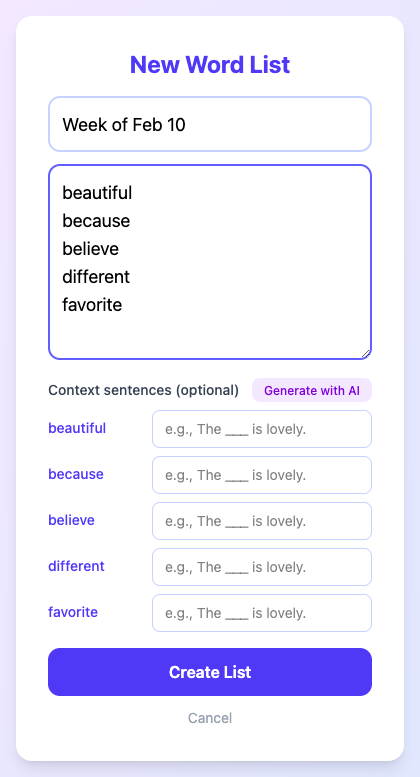
Parents enter the week's spelling words. You can optionally add context sentences manually, or let Claude AI generate them for you — because you've got enough to do already.
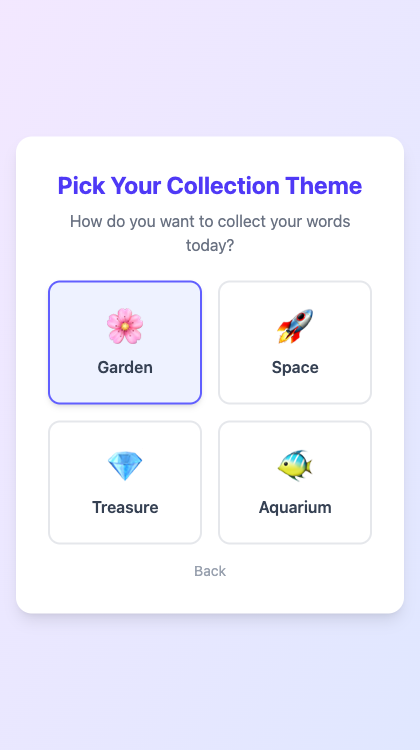
Pick a Theme
Your kid picks how they want to collect words today. Garden? Space? Treasure chest? Aquarium? It's their call. This is the one decision in their evening they actually get to make.
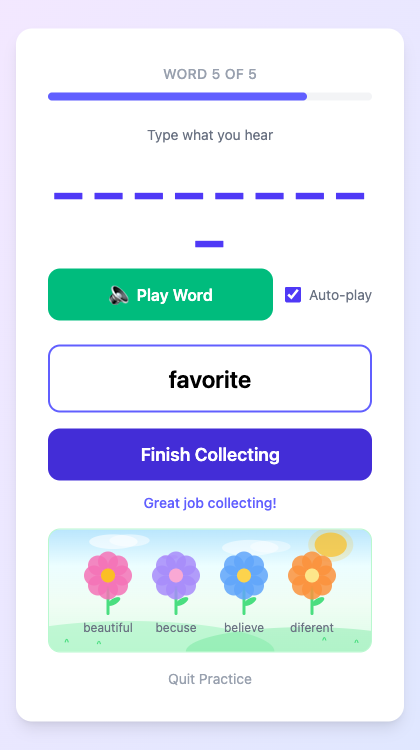
Practice (the Stress-Free Kind)
The app reads each word aloud, your kid types what they hear, and hits "Next Word." That's it. No judgment, no scoring, no red ink. Every word gets collected — right or wrong. The garden fills up with flowers, stars appear in the sky, the treasure chest fills with gems.
Review Together
After collecting all the words, you sit down together for review. Words they got right are already "bloomed" (green checkmark, everyone's happy). Words that need work show a "Fix" button — they retype it, the flower blooms, and everyone moves on with their lives.
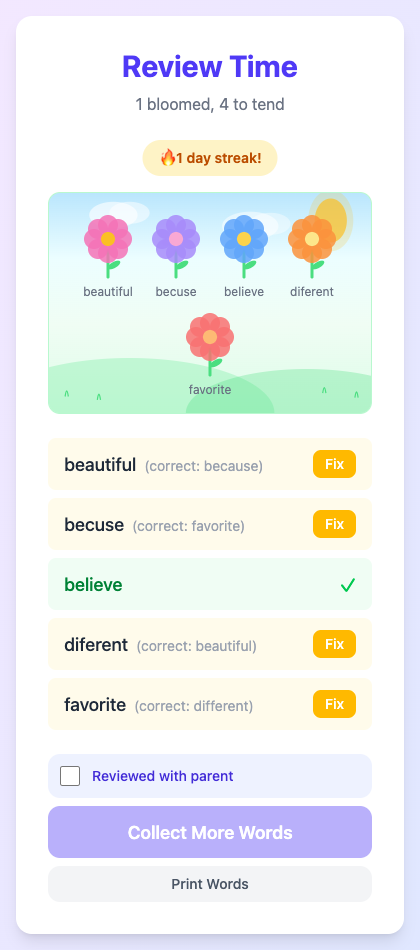
No tears. No fights. Just a garden full of flowers and a kid who actually wants to practice again tomorrow.
Features
Collection Themes
Garden, Space, Treasure, and Aquarium — because variety is the spice of spelling.
Text-to-Speech
Words are read aloud so kids can practice independently without needing a parent nearby.
AI Context Sentences
Claude AI writes age-appropriate example sentences for each word so you don't have to.
Multiple Practice Modes
Standard listen-and-type plus a letter scramble mode for extra variety.
Family Sync
Data syncs across devices. Practice on the iPad, review on the laptop.
Multiple Profiles
Got more than one kid? Each gets their own profile and practice history.
Practice Streaks
Track consecutive practice days. Gentle motivation, not guilt.
PIN-Protected Admin
Keep the settings safe from tiny curious fingers.
Tech Stack
| Layer | Technology |
|---|---|
| Frontend | React 19 + Vite |
| Styling | Tailwind CSS 4 |
| Database | Firebase Firestore |
| Hosting | Firebase Hosting |
| Backend | Firebase Cloud Functions (Node 22) |
| AI | Anthropic Claude Haiku |
| Testing | Vitest + React Testing Library |
Why This Exists
My daughter was in tears over spelling practice. The existing apps all did the same thing: show a word, make the kid type it, then flash a big red X when they got it wrong. Great for building resilience, maybe. Terrible for building a love of learning.
So I built something different. The core insight is simple: separate the practice from the evaluation. Let kids engage with the words freely during practice, then review accuracy together afterward in a supportive context.
It turns out that when you remove the fear of being wrong, kids are a lot more willing to practice.